
Feature Flags:
Feature Flags are common part of application development and usage. They come extremely handy when to switch on to a particular feature or to portion of the code. Flags help us to to choose a functionality or turn off a functionality.
For example when choosing to go to route A or route B, feature flags or toggles help us to choose the path.
if flag_enabled:
  DO THIS
else:
  DO THIS
we traditionally host feature flags via configurations. configurations are stored in config server or databases or with the help of new tools like HashiCorp Consul and HashiCorp vault. There are less preferred options of storing the configs along with code, this causes to deploy the code when ever config changes.
Feature Flags in GitLab
GitLab provides a convenient option of hosting feature flags along with the code repository. These Feature Flags can be used in our applications to decide the direction of the flow of the app.
Even though there are better products that will be handy for hosting the configurations for productions. This option of feature flag will be extremely handy in case of CICD.
Creating a Feature Flags in GitLab
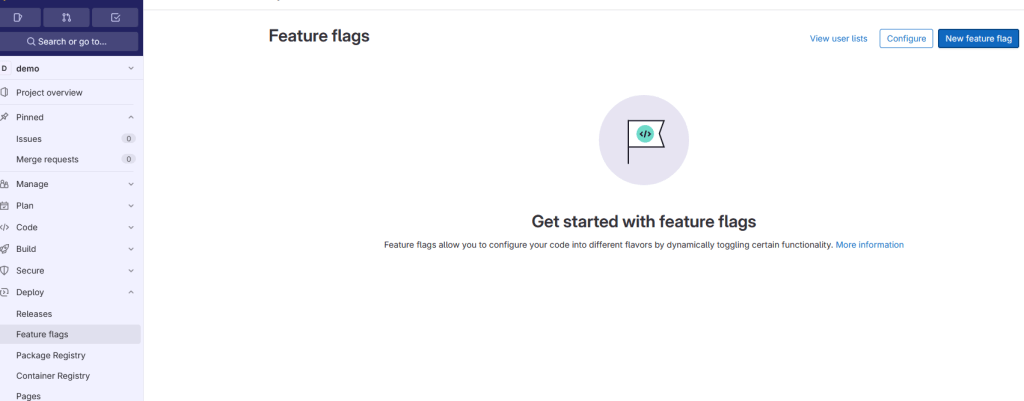
Go to repository -> Deploy -> Feature Flags -> New Feature Flag
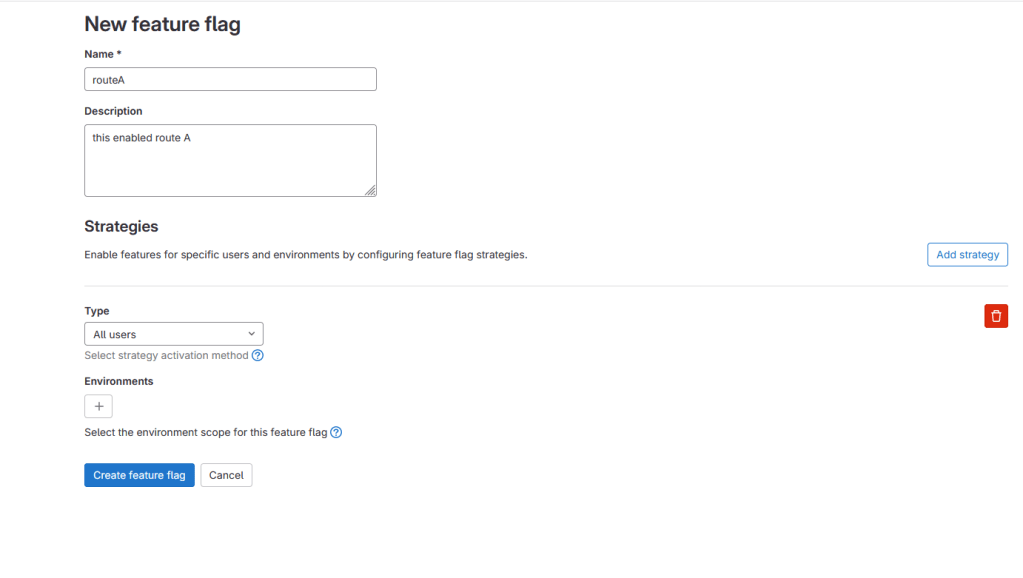
while creating the feature flag, make sure the strategy is enabled to All user or user applicable and similarly for environments. with out the user/environments, feature flags will not be accessible via the application/script.
Accessing via python script
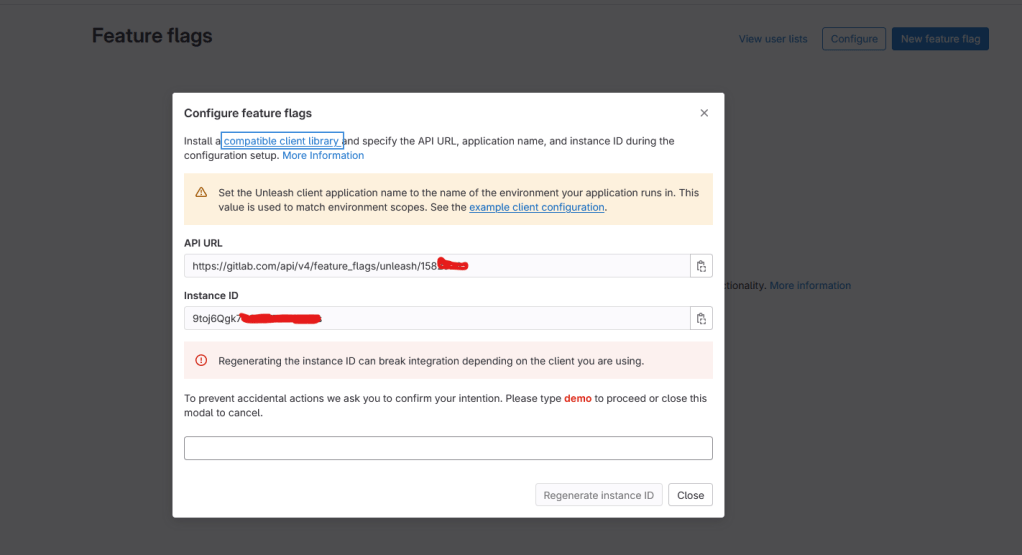
Code
from UnleashClient import UnleashClient

try:
    client = UnleashClient(
        url="https://gitlab.com/api/v4/feature_flags/unleash/PROJECT_ID",
        app_name="demo",
        instance_id = "INSTANCE_ID"
        )

    client.initialize_client()


    if(client.is_enabled("test")):
        print("flag enabled")
    else:
        print("flag is disabled")
except Exception as e:
    print(e)
Library installation
pip install UnleashClientCode analysis
from UnleashClient import UnleashClient ->import the UnleashClient
Then initialize the client by passing the URL, App name and Instance ID
Check if the flag is enabled or disabled with client.is_enabled
By running the script with flag enabled we get output as

$ python main.py
flag enabled
with flag disabled, we get output as
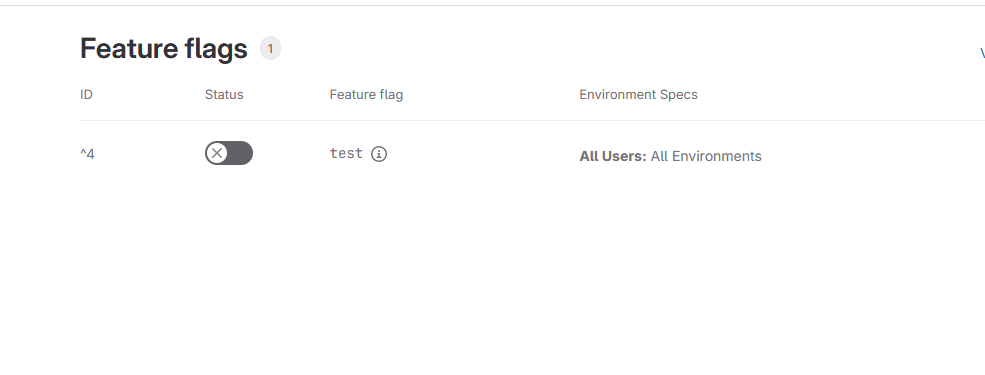
$ python main.py
flag is disabled
find my code here on GitLab
Conclusion:
As we have seen above that feature flags can be useful in the CICD process. These flags can help us to avoid code rollback.
References:
https://docs.gitlab.com/ee/operations/feature_flags.html#go-application-example
 dwarak
Leave a comment